



A new leave planning process will launch in early 2026 as part of the Phoenix Forward initiative. The process will support a more consistent, coordinated and thoughtful approach to reporting leave and taking time off.
Starting in 2026, Elon will introduce a leave requests and approvals process that offers a shared, university-wide approach to planning time away from work.
Currently, many teams manage leave in various ways. Some teams use spreadsheets, some use email and all processes include retroactive entry in OnTrack. This updated approach encourages planning when possible, which will create shared expectations between employees and supervisors, and improve how we communicate about time off across departments.
While time away cannot always be planned, this new tool makes it easier for employees to be proactive and collaborative with their leave planning and reporting. The goal is to reduce ambiguity, strengthen coordination and build confidence in how time off is submitted, reviewed and tracked.
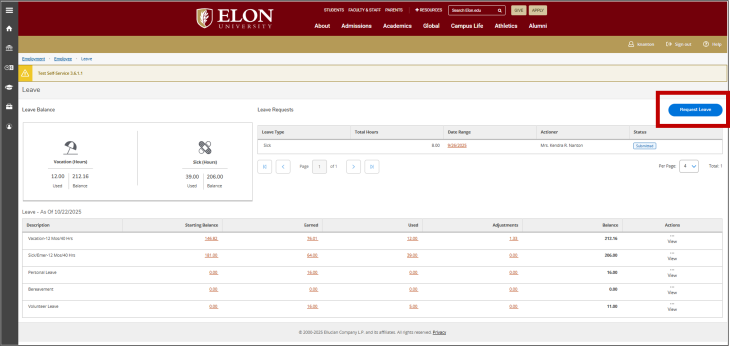
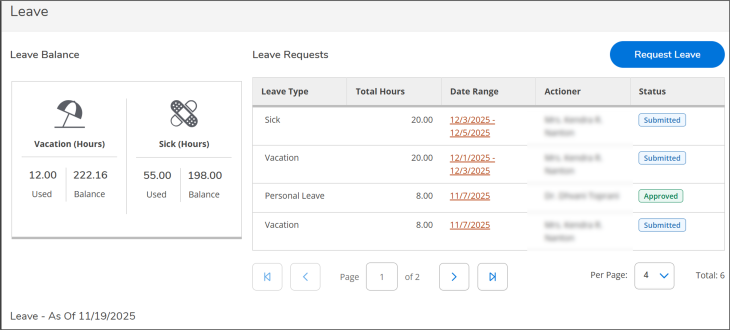
Employees and supervisors will use OnTrack to request and approve time away. Requests will be submitted and tracked in a single, consistent system, helping ensure that time away is visible, timely and clearly understood by everyone involved.
This process is designed to support:
- Thoughtful planning between employees and supervisors
- A shared understanding of time-off timelines
- Coordinated scheduling that supports team operations
- Confidence in how time away is managed across the university
Time off matters — for each of us, for our teams, and for the way we work together. By using a consistent, transparent system to plan time away, teams can communicate more easily, and employees can feel confident and supported whenever they need to take time off.
Janet Williams, vice president for finance and administration and chief financial officer
Training and support
Elon is committed to ensuring staff are supported throughout this transition. Leading up to the January and February launches, Human Resources is offering multiple training options to help employees and supervisors engage with the new process and feel informed and prepared. Staff can explore:
Step-by-step training guides – Currently available in document form and coming soon to a centralized page on the HR website. Direct links will be shared in upcoming campus emails.
Video walkthroughs of the process in action
- Supervisor Video Walkthrough
- Monthly-Paid Staff Video Walkthrough
- Bi-Weekly-Paid Staff Video Walkthrough is coming soon
Live training + Q&A sessions
- Supervisors
- Wednesday, Dec. 10 at 10:00 a.m. – Register + Add to Calendar
- Monday, Dec. 15 at 2:00 p.m. – Register + Add to Calendar
- Monthly-Paid Staff
- Wednesday, Dec. 10 at 2:00 p.m. – Register + Add to Calendar
- Monday, Dec. 15 at 10:00 a.m. – Register + Add to Calendar
- Bi-Weekly-Paid Employees: Sessions coming in January
“We understand that adjusting to something new takes time, ” said Melissa Clodfelter, associate vice president for human resources and chief human resources officer. “Our focus is on making this feel manageable and supportive, whether that means walking through it together in training, or giving you tools you can use on your own terms.”
Missed the preview sessions?
Employees can still watch the Nov. 12 sessions and submit their thoughts:
- Watch the Supervisor Preview Session
- Watch the Monthly-Paid Employee Preview Session
- Watch the Bi-Weekly-Paid Employee Preview Session
- Complete the Three-Question Feedback Form
Feedback from pilot and preview participants has already shaped training materials, and every additional voice helps strengthen the experience.
Questions
For questions at any time, contact hr@elon.edu or visit the Leave Requests and Approvals FAQ.