Email Signatures
Email is the most commonly used form of business communication, and the content and formatting of emails creates a perception of the institution in the minds of the recipients. Emails to external recipients in particular should be treated in the same way as a formal business letter.
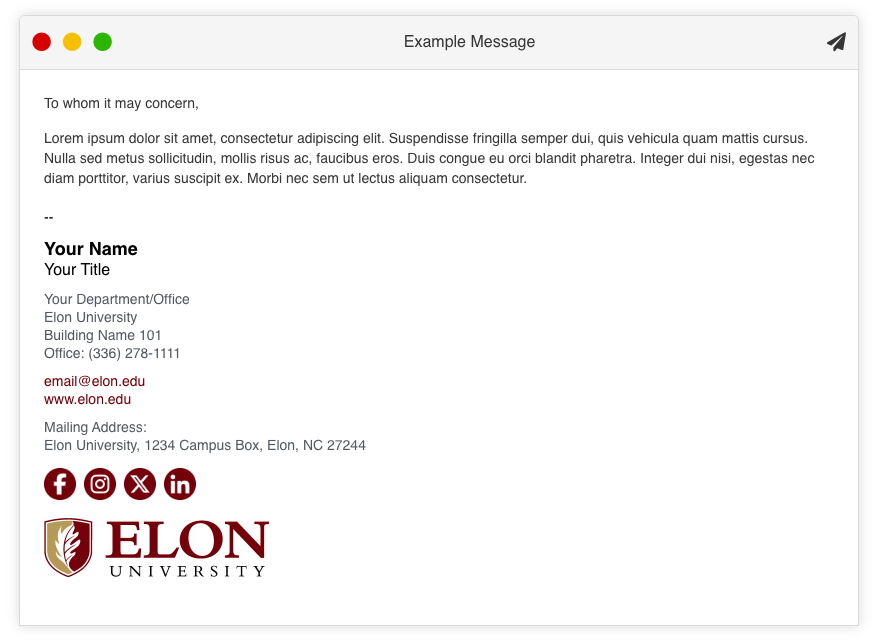
The email signature should also be professional in presentation and formatting. As a guide, it is strongly recommended that Elon employees use the online Email Signature Generator, which creates a formatted email signature similar to the example at right. This signature can be further customized with additional contact information and social media profile information.
In addition, keep the following best practices in mind:
- Only official Elon University social media profiles should be included in the signature; never personal social media profiles.
- Don’t create your signature as an image. Make sure to design your email signature as text, rather than a full image, as high image-to-text ratio may trigger a spam response.
- Do not use photos, images or motion graphics other than the Elon University mark within the email signature. Images increase message size and may be received as attachments by the end user, and many email clients block the appearance of images.
- Refrain from the use of quotes or slogans for professional communications. It is important to avoid confusion among external audiences who may assume a statement is an official Elon University slogan, ideology or brand promise.
- Email signatures are important, but they shouldn’t be overly complex. Focus on creating a signature that is professional and provides recipients with the information they need.
Example Email Signature