Student Resources
Student Resources
International & Global Studies is proud to support students in pursuing meaningful and impactful research across a variety of programs, including Elon College Fellows, Honors Fellows, Lumen Scholars, and 4999 Undergraduate Research, as well as through the senior seminar experience.
Exploring Research: Where to Start
Students interested in exploring the many dimensions of research can deepen their understanding through resources such as Research and Writing in International Relations, which offers practical guidance on developing research questions, navigating methodologies, and communicating findings effectively. As a starting point, resources like this help students better understand what research entails while they build the confidence and skills to pursue their own work.
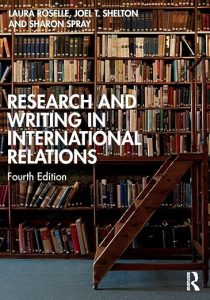
Laura Roselle is Professor Emeritz of Political Science and Public Policy at Elon University. She is the co-author of Strategic Narratives: Communication Power and the New World Order and Forging the World: Strategic Narratives and International Order.
Joel T. Shelton is Associate Professor of Political Science and Public Policy at Elon University, where he teaches courses in international political economy, international relations, and comparative politics, and serves as coordinator for the university’s Philosophy, Politics, and Economics (PPE) program. He is the co-author of Statecraft and the Political Economy of Capitalism and author of Conditionality and the Ambitions of Governance: Social Transformation in Southeastern Europe.
Sharon Spray is Professor Emerita of Political Science and Public Policy at Elon University.
Research Links
If you are interested in researching different topics in International & Global Studies, these sites may be helpful to you.
- Center for Strategic and International Studies (CSIS)
- Columbia International Affairs Online
- Online Newspapers
- United Nations Home Page
- WWW Virtual Library: International Affairs
Staying Informed in a Global World
Elon provides students, faculty, and staff with free digital access to major news outlets including The New York Times, The Wall Street Journal, and The Washington Post. By signing up with an Elon email address, users can easily activate accounts and stay informed with high-quality journalism across a range of global topics.
- New York Times Digital Access: Elon provides digital access to the New York Times to all Elon students, staff, and faculty. It’s easy to sign up: Create a free account at NYTimes.com/Pass. Use your elon.edu email address when you create your account.
- Wall Street Journal Digital Access: Belk Library provides digital access to the Wall Street Journal to all Elon students, staff, and faculty. To activate your free account, follow these steps: Step 1: Go to www.wsj.com/elon. This will lead you to the Elon SSO login page. Sign in using your Elon credentials. Step 2: On the next page, from the dropdown menu that reads “account type”, select your classification (faculty, staff, or student).Step 3: Enter your first name, last name, and your Elon email address (if not already populated). Enter a password, check the box agreeing to the terms of service, and click “Create”.
- Washington Post Digital Access: Elon provides digital access to the Washington Post to all Elon students, staff, and faculty. It’s easy to sign up: Step 1: Go to the Washington Post sign up page. Step 2: Enter your Elon email account. Then choose a password and click “Create Account.” Step 3: Once you’ve created your account, you will receive an email that asks you to verify your email address. (Click the button in the email or paste the address into your browser.) Your username will appear at the top right of the Washington Post page. Click on your username, then select Account Settings. Click on the box that says Activate free digital access.