Uncategorized Posts
Housing Selection Day Process Step-By-Step
Initial Selection
This is the landing page for Room Selection, whereby the user will begin their room search.
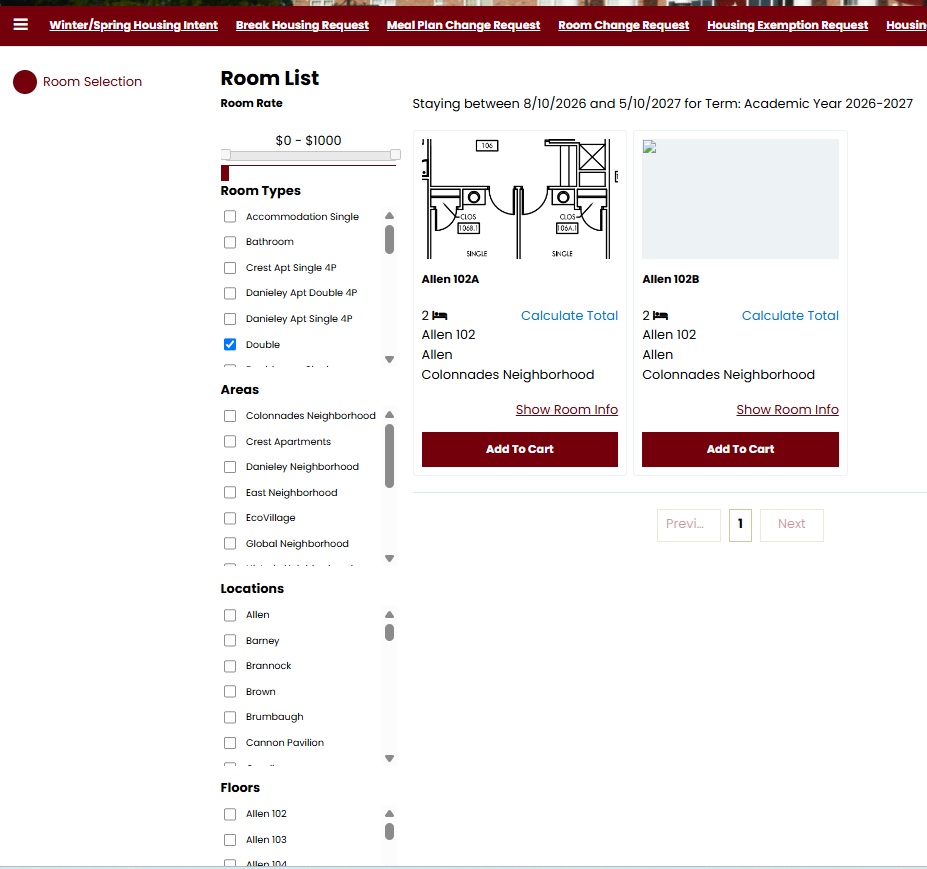
Room List
- Filters: Use the filters available on the left hand side to filter results.
- Room Types: The room type selected on the page previously will be selected here. You are able to change this selection. Updated search results will appear should you select a different room type.
- Areas: The area the room exists within. For example, if you have multiple campus locations these will be listed.
- Locations: The location the room exists within. For example, if multiple halls exist within one campus these will be listed here. Only locations configured as being viewable on the portal will appear here.
- Floors: The floor the room exists within.
- Select Room: Select from the rooms that appear below.
- Show Room Info: Clicking this link will navigate the user to a page whereby they will be able to see all information pertaining to the room (shown below).
- Click ‘Add to Cart’ to add a room to cart.
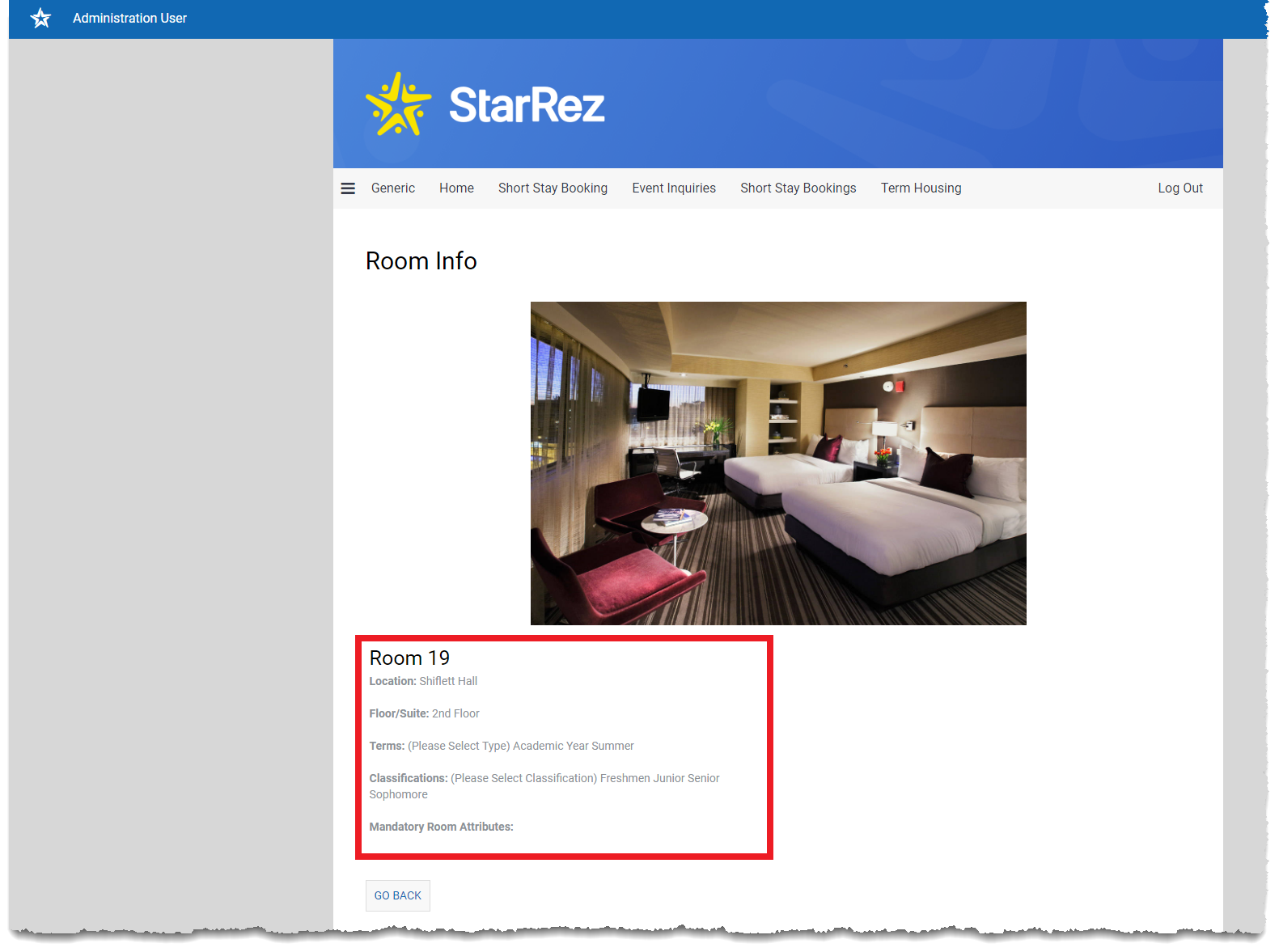
Room Info
This page displays the rooms location, floor/suite, terms, classifications and mandatory room attributes. You are able to access this page by clicking ‘Show Room Info’ on the ‘Room List’ page.
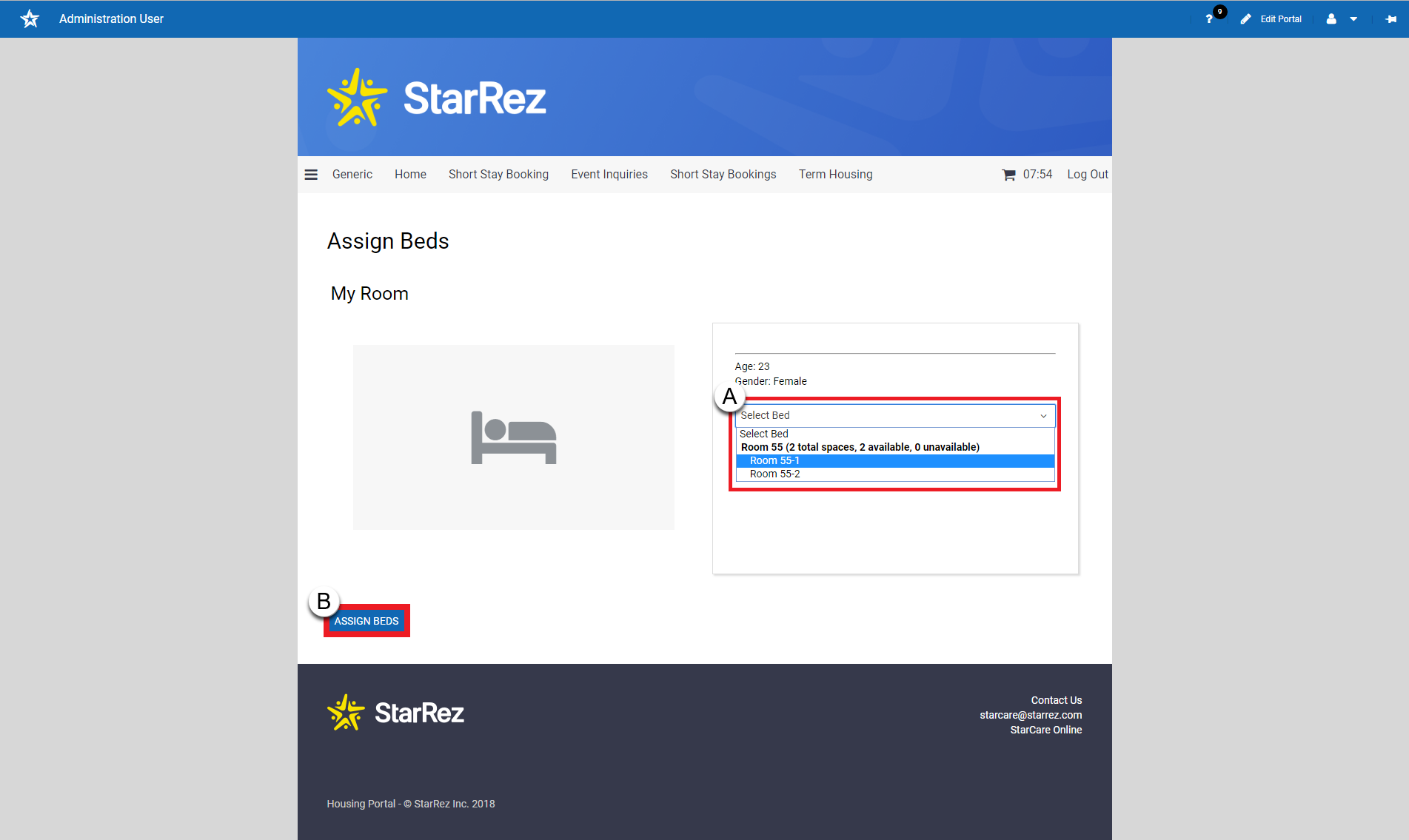
Assign Beds
Select from the drop down which bed you would like (A).
Click ‘Assign Bed’ (B).
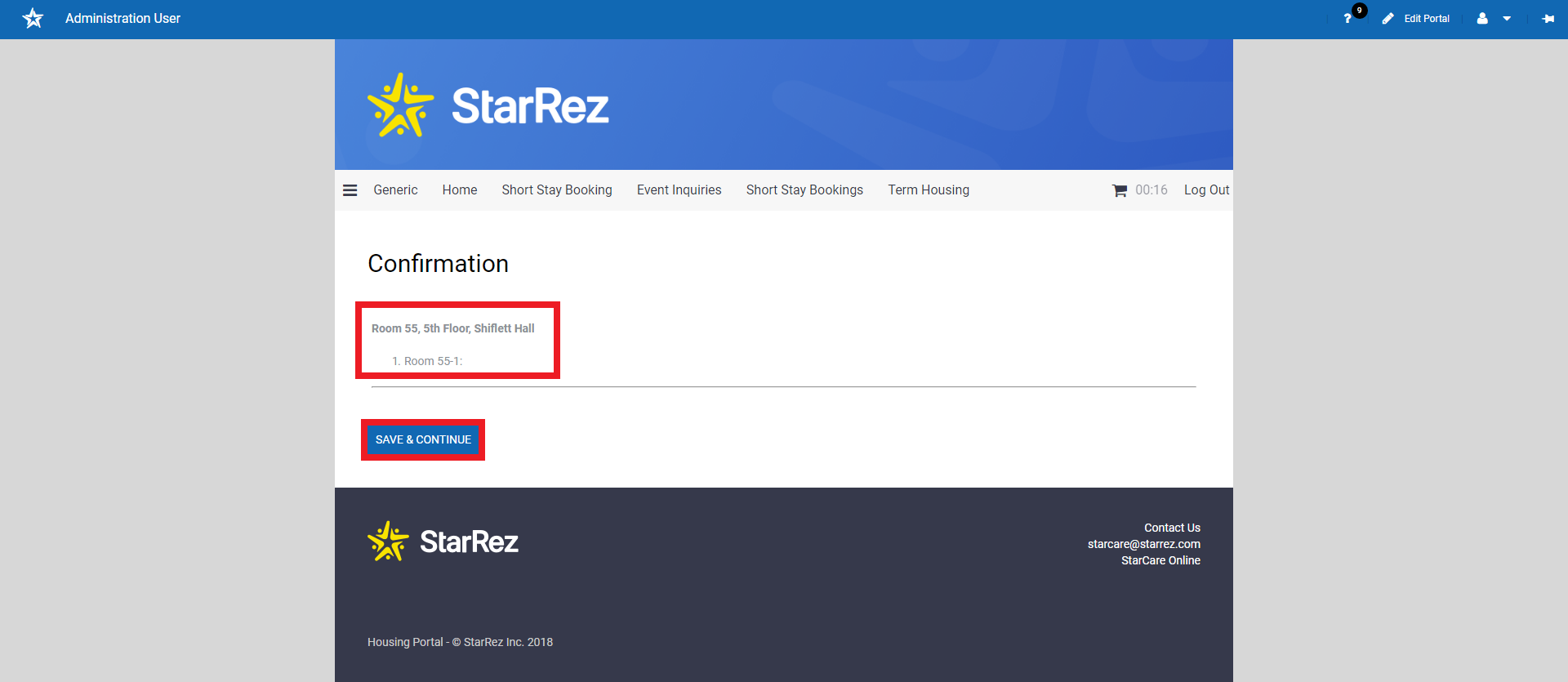
Confirmation
Here you are able to review information pertaining to the room you have selected and ‘Save and Continue’.
Note: After the Room List page, the room will be stored in the entry’s Shopping Cart. For the room to be booked, the entry will need to ‘check out’ the items in their shopping cart.
Wait List
After housing selection, wait lists will open if you would like to add your name to a list for a different room style.